Back to Blog
Accessing your Wander Owner portal


The Wander Owner Portal is your dedicated platform for managing your property and monitoring its performance on Wander, giving you transparency, control, and complete visibility into your account.
What is the Wander Owner Portal?
Within the Owner Portal, you can:
Manage your property listings
View financial reports and earnings
Monitor upcoming reservations
Activate or deactivate listings
Update listing descriptions and property information
Securely manage your payout details
The Wander Owner Portal serves as your single source of truth for your property, providing a secure, streamlined experience and complete visibility into your Wander account.
This guide walks you through accessing your account for the first time and navigating the portal with confidence.
Step 1: Accept your invitation
Getting started
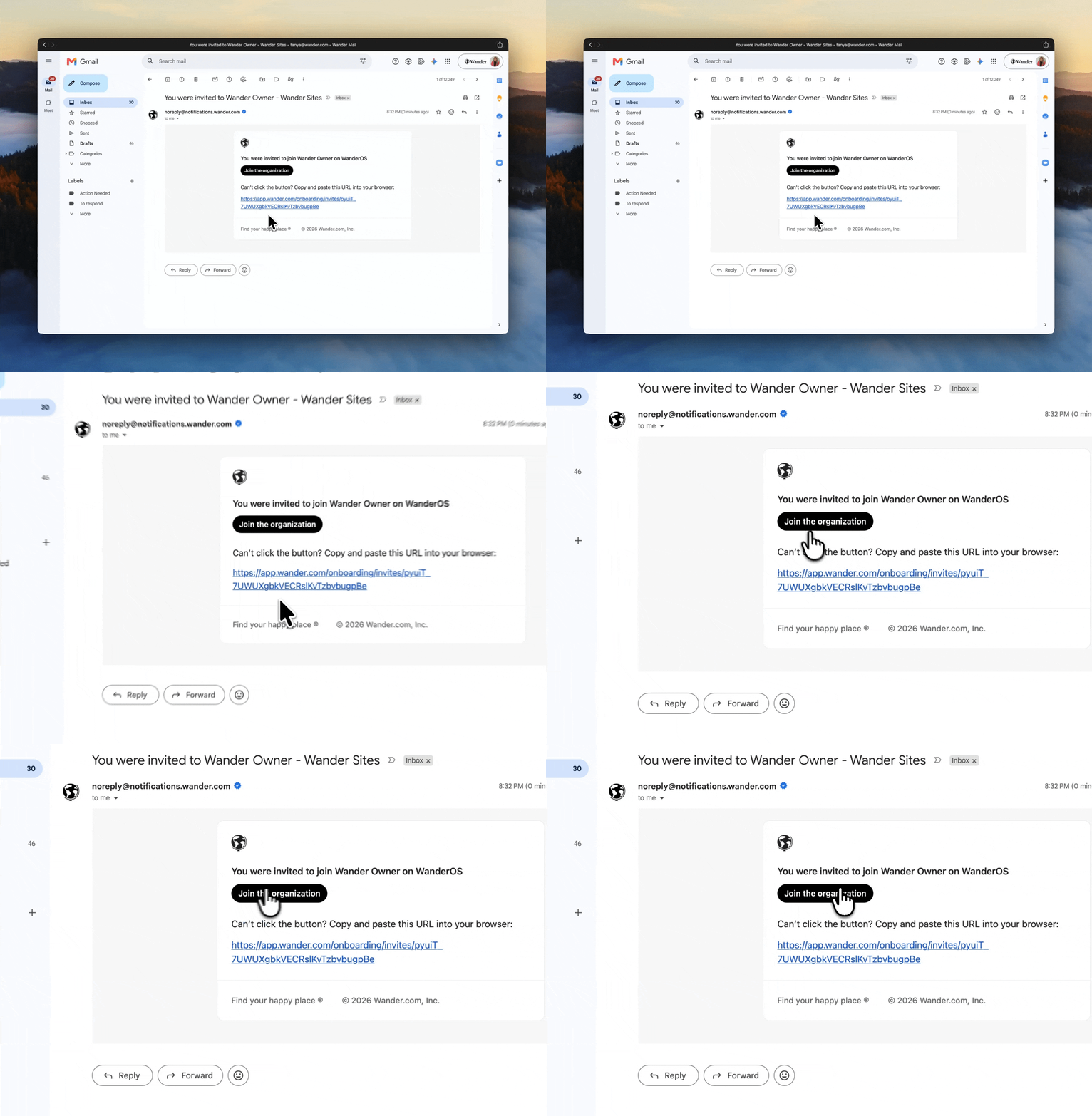
Open your invitation email from Wander.
Click “Join the Organization” to begin.
This will securely activate your account and redirect you to your invitation page.
Final step: Accept your invite
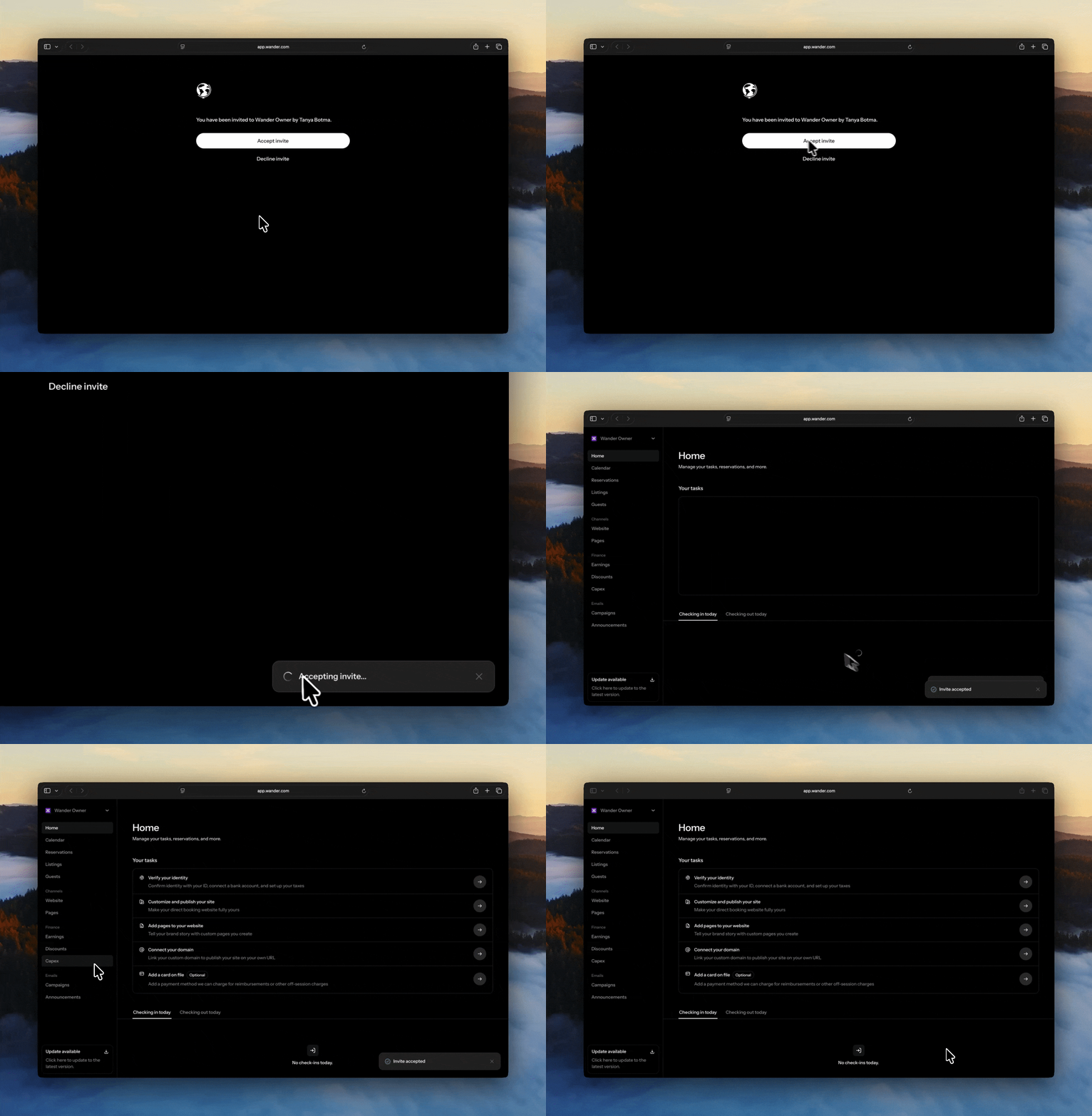
Once redirected to your invitation page, select “Accept Invite” to confirm your access.
Upon confirmation, you'll be seamlessly redirected to your Wander Owner Portal dashboard.
From here, you'll have full access to manage your listings, earnings, and account details with ease.
Step 2: Accessing your Owner Portal
Once your account has been successfully set up, you can access your Wander Owner Portal at any time.
Daily access
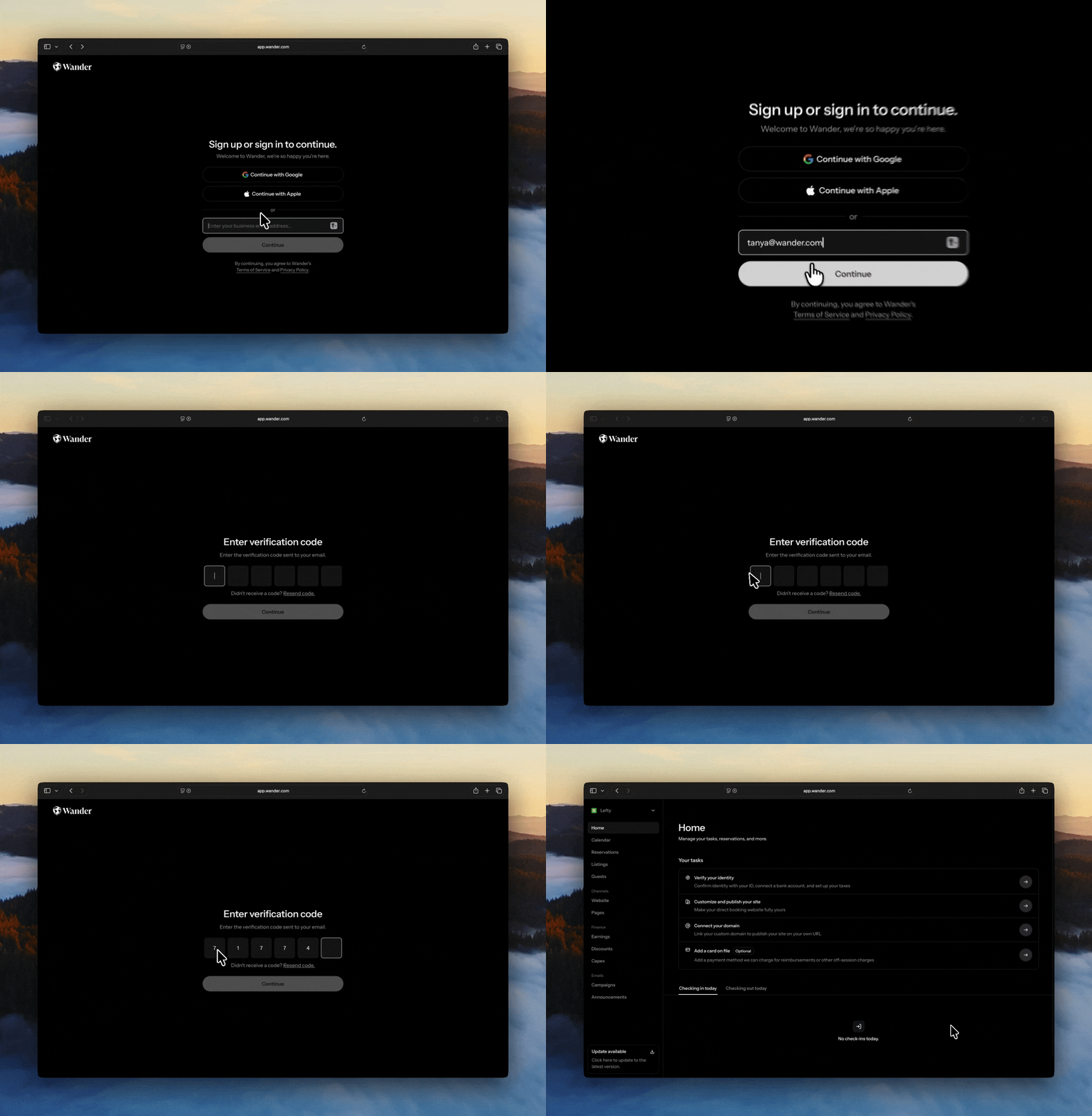
Navigate to app.wander.com/auth/ via your preferred web browser.
Select “Log In.”
Enter the email address associated with your Wander account.
Retrieve the one-time passcode (OTP) sent to your email.
Enter the OTP when prompted to verify your identity.
Secure sign-in
Upon successful verification, you'll be securely signed in and redirected to your Owner Portal dashboard.
Need assistance?
If you do not receive your invitation email or experience any issues accessing your account, our team is here to help.
Please contact listed@wander.com, and a member of our team will assist you as quickly as possible.
Share it with your friends: