Back to Blog
Activating New Listings in Your Wander Owner Portal


Once your property has been carefully reviewed and approved as Wander-worthy, you can seamlessly prepare it to go live.
Approved listings will appear within your Owner Portal with a “Ready to List” status - indicating that the home meets Wander’s elevated standards and is eligible for publication on Wander.com.
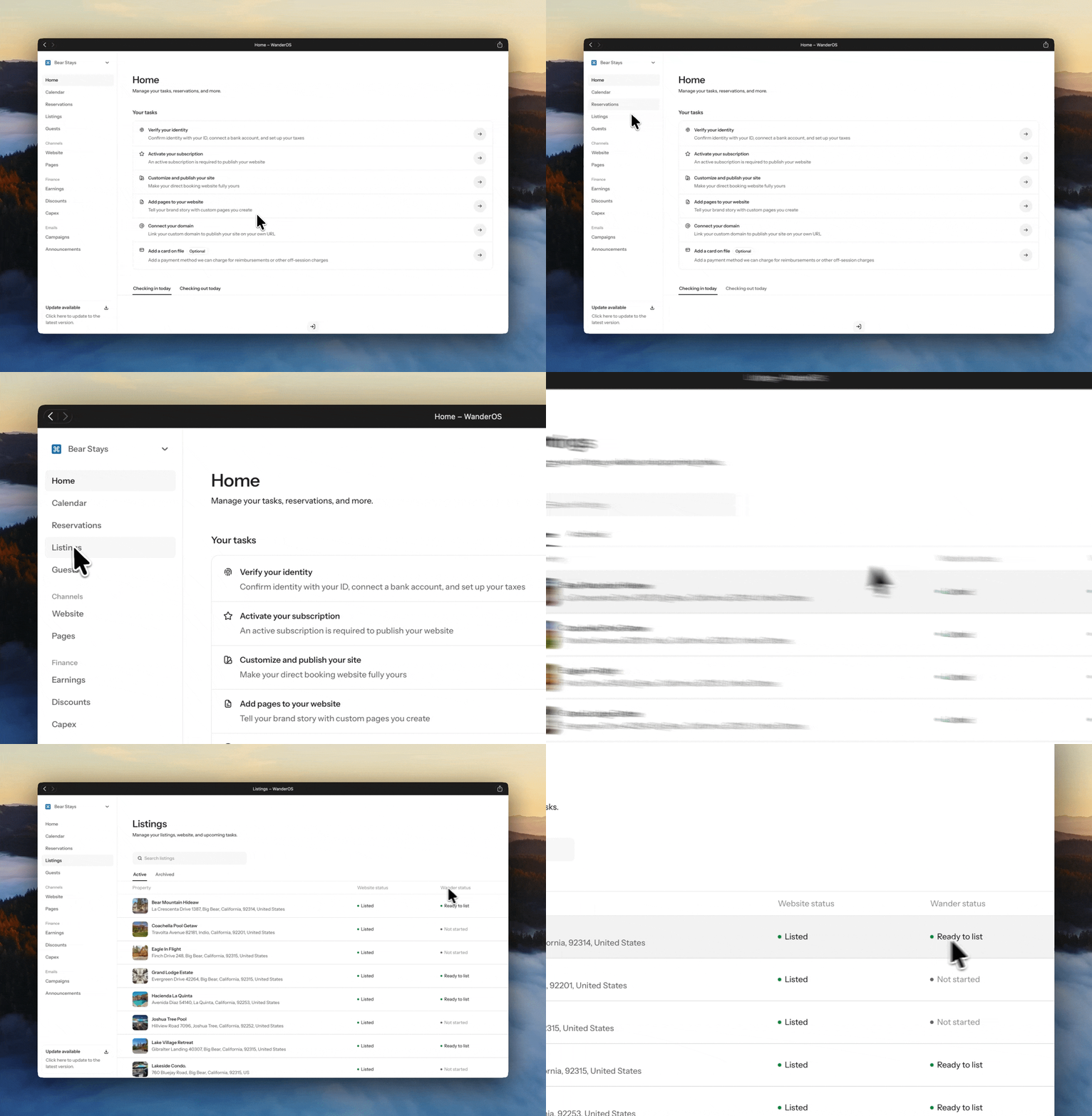
Step 1: Access Your Listings
Log in to your Wander Owner Portal
Navigate to the “Listings” tab from the main menu
Locate the Wander Status column on the far right
Identify properties marked as “Ready to List”
Important to Note
Only listings with a “Ready to List” status are eligible to be activated and published
This status confirms that your property has successfully passed Wander’s review process
Once identified, your listing is ready for the final step toward going live.
Step 2: Activate Your Listing
With your listing approved, you’re just moments away from going live on Wander.
Activation Steps
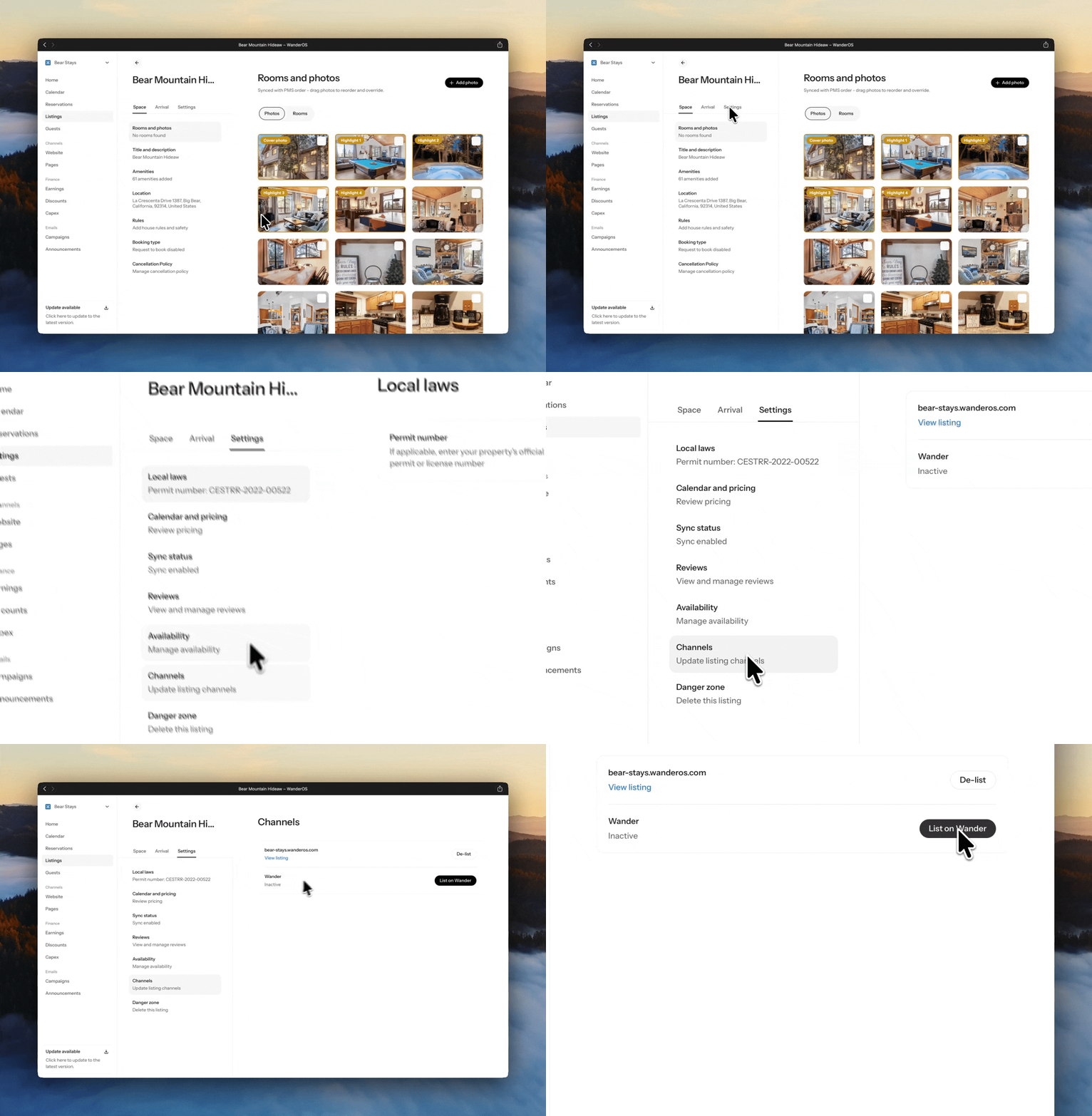
Select the listing you would like to publish
Navigate to Settings → Channels
Enable “List on Wander”
What to Expect
Once enabled, your listing will begin the process of being published on Wander.com
Our system will handle the activation seamlessly, bringing your property live for guests to discover
Your home is now on its way to being showcased to Wander’s curated audience of travelers.
Need Assistance?
If you have any questions or require support, our team is here to help.
Reach out to listed@wander.com
A member of our team will assist you as promptly as possible
We’re here to ensure a smooth and seamless experience at every step.
Share it with your friends: