Back to Blog
Delisting a Property from Your Wander Owner Portal


Should you wish to remove a listing from Wander.com, this can be done directly within your Owner Portal.
Step 1: Access Your Listings
Log in to your Wander Owner Portal
Navigate to the “Listings” tab from the main menu
Select the listing you would like to remove from Wander.com
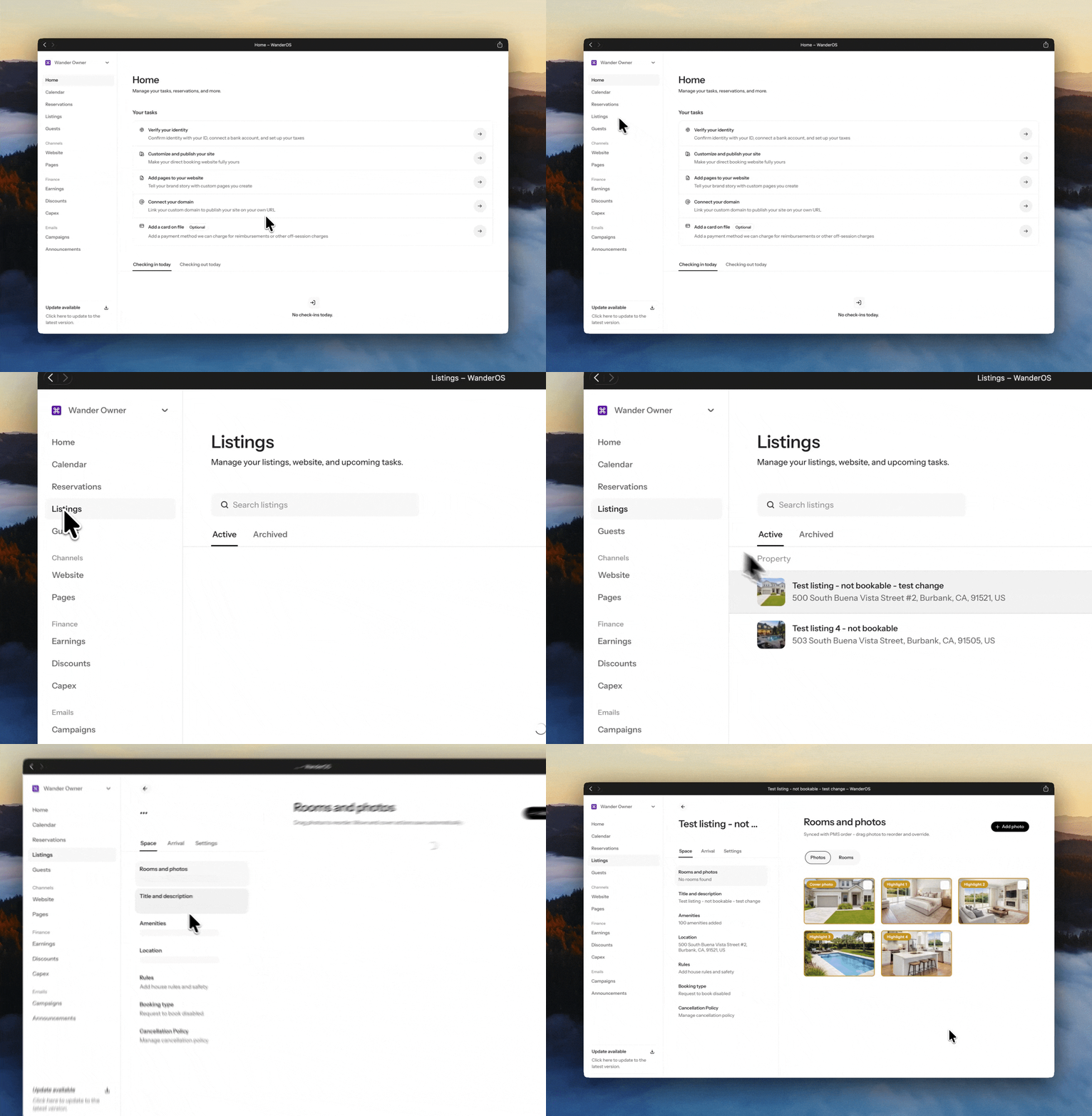
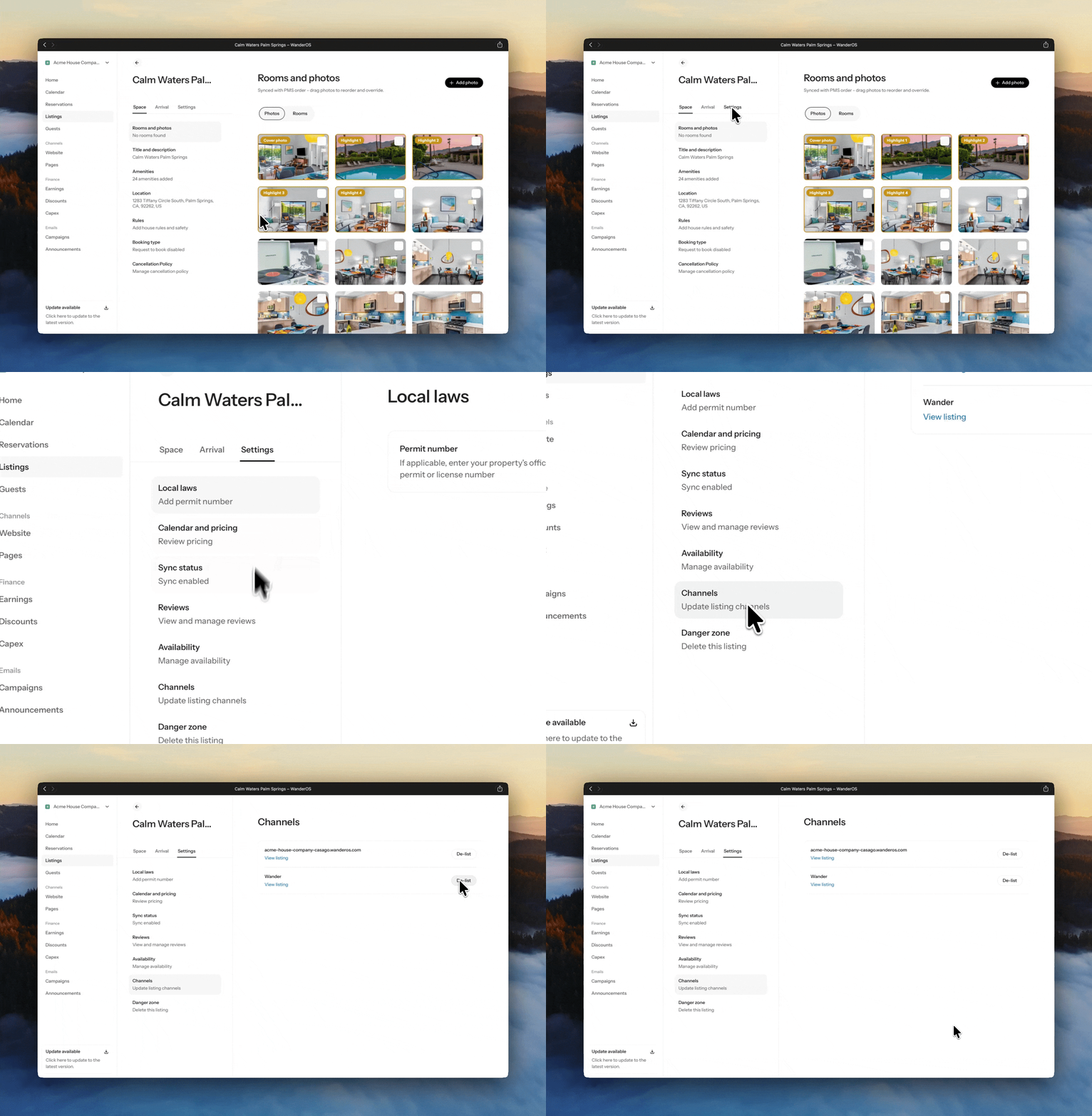
Step 2: Delist Your Listing
Select Settings.
Click Channels.
Click Delist.
Important Notice
Before proceeding with delisting, please keep the following in mind:
Once this option is selected, your listing will no longer be visible on Wander.com
Any existing Wander reservations must still be honored as scheduled
Delisting will not cancel or modify confirmed bookings already on your calendar
Need Assistance?
If you have any questions or require support, our team is here to help.
Reach out to listed@wander.com
A member of our team will assist you as promptly as possible
We’re here to ensure a smooth and seamless experience at every step.
Share it with your friends: