Back to Blog
How to set your Cancellation Policies


Wander gives you full control to define the policy that applies to your listings, directly from your dashboard.
Why Your Cancellation Policy Matters
It tells guests exactly what to expect if plans change, before they book
It determines the refund schedule applied to every reservation
A clear, consistent policy builds guest trust and reduces disputes
Two Ways Your Policy Can Be Set
Per Listing: You can set your policy on each listing individually. This overrides any portfolio-wide setting.
Per Portfolio: You can set a single policy that applies to every listing (unless overridden with the above method) in your organization in your organization settings.
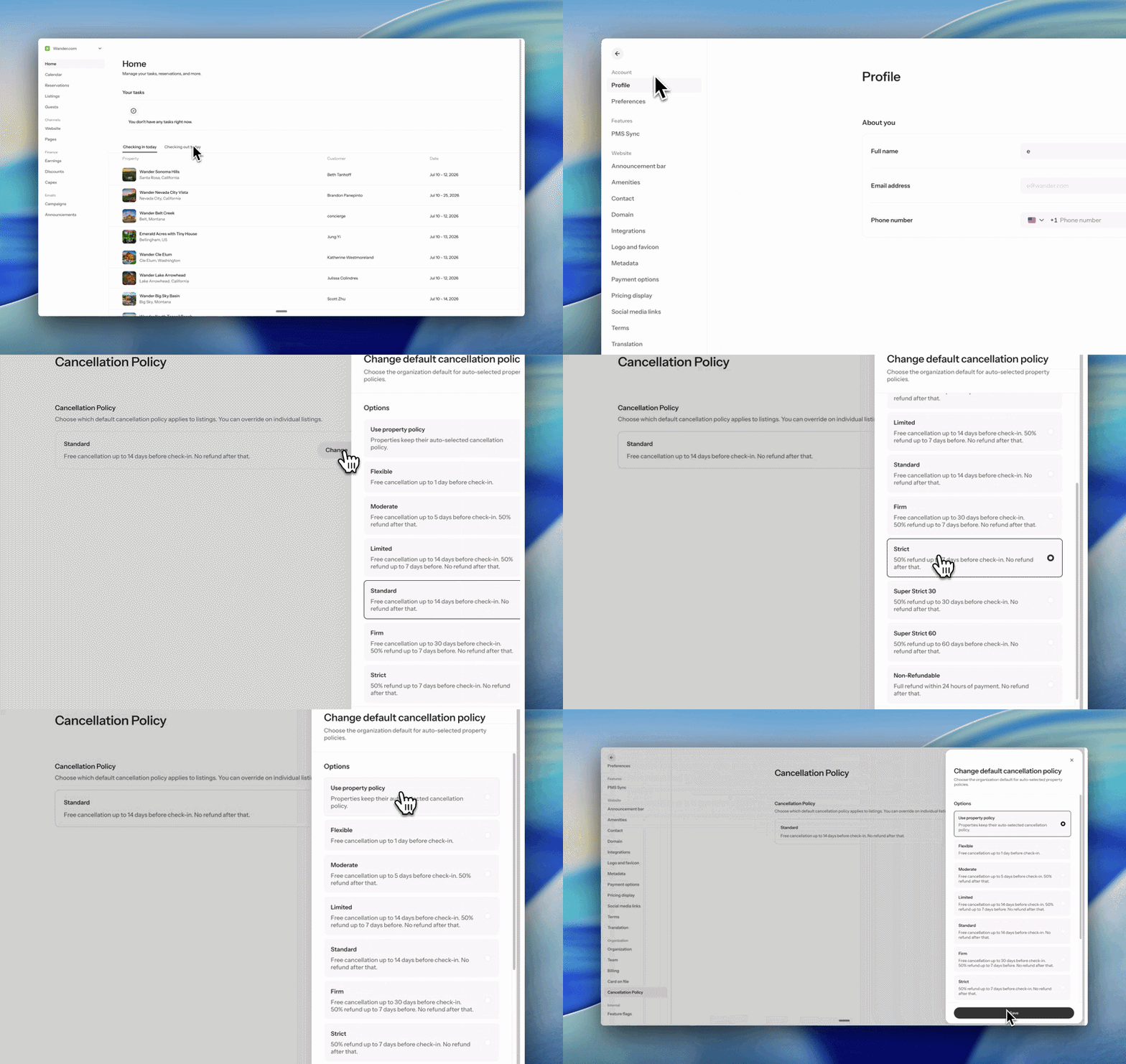
Setting a Portfolio Wide Policy
Click on your organization name in the top-left corner of your Operator Portal
Select "View Settings"
On the left side, find "Cancellation Policy"
Choose the policy you want to apply and save your changes
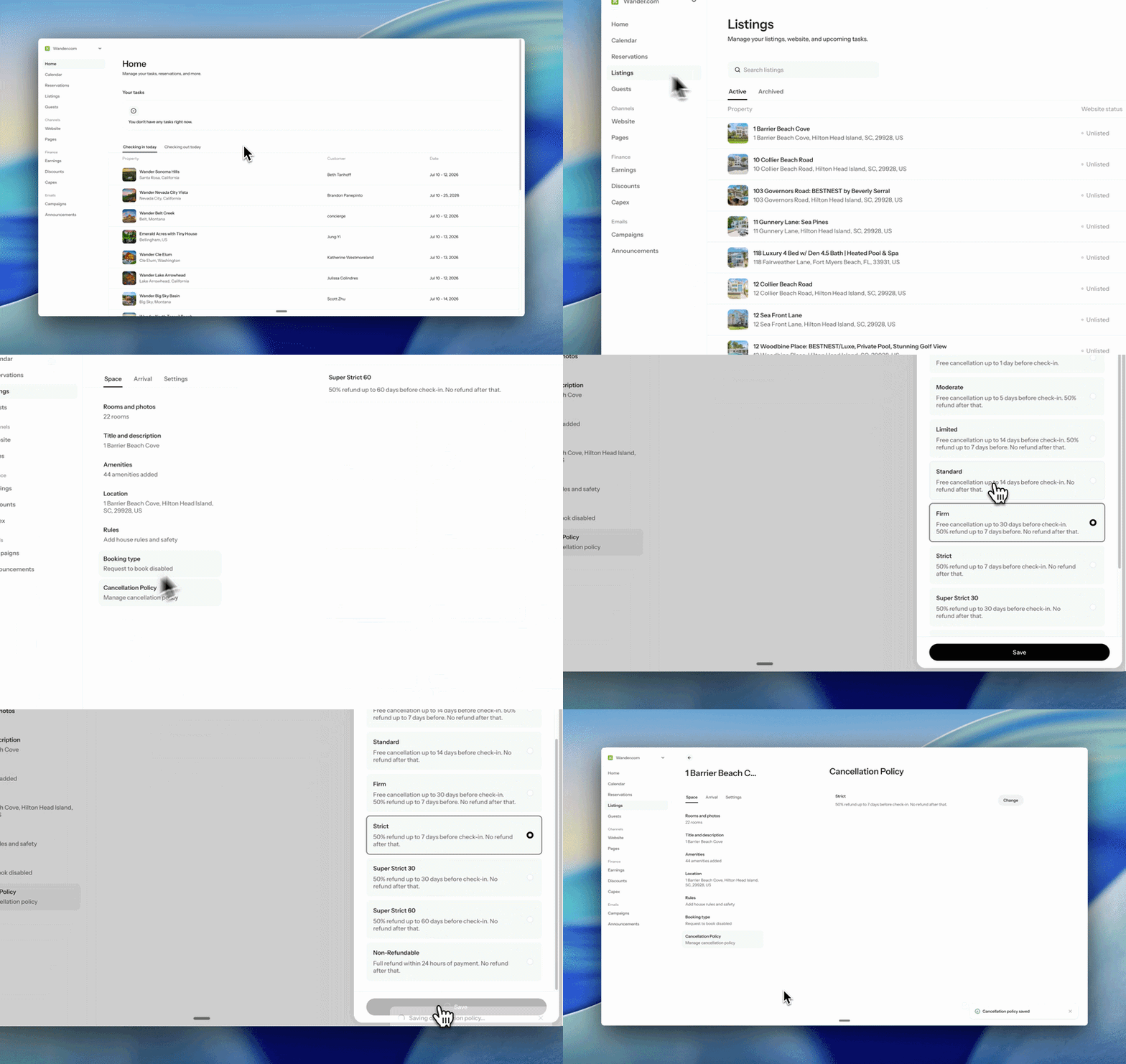
Setting a Policy on a Specific Listing
Navigate to your “Listings”
Click on the listing you’d like to select a cancellation policy for
On the left side, find "Cancellation Policy"
Choose the policy you want to apply and save your changes
Updating Your Policy
You can update your policies at anytime
Allow up to 24 hours for the change to reflect across Wander
Note: policy changes apply going forward and do not alter the terms of existing confirmed bookings
Choosing the Right Policy
Select from Wander's preset policies, which range from more flexible (fuller refunds closer to check-in) to more strict (limited refunds)
Each policy defines the refund percentage a guest receives based on how far in advance they cancel
Review the refund schedule shown for each option before saving so you know exactly what guests will see
How It Appears to Guests
Your policy is displayed on the listing page and at checkout
Guests see the refund schedule tied to their booking dates before they confirm
This ensures full transparency and 100% alignment between your settings and what guests agree to
Need Assistance?
If you need help selecting, setting, or updating your cancellation policy, our team is here to help.
Reach out to listed@wander.com
We'll assist you with policy setup, guest-facing display, or PMS sync questions
Our goal is to keep your policies accurate, transparent, and working seamlessly for you and your guests
We're committed to giving you the tools to manage your policies with clarity and confidence.
Share it with your friends: