Back to Blog
Managing your team & inviting administrators


Easily collaborate with your team by inviting members and assigning administrative access within your Wander Operator Dashboard.
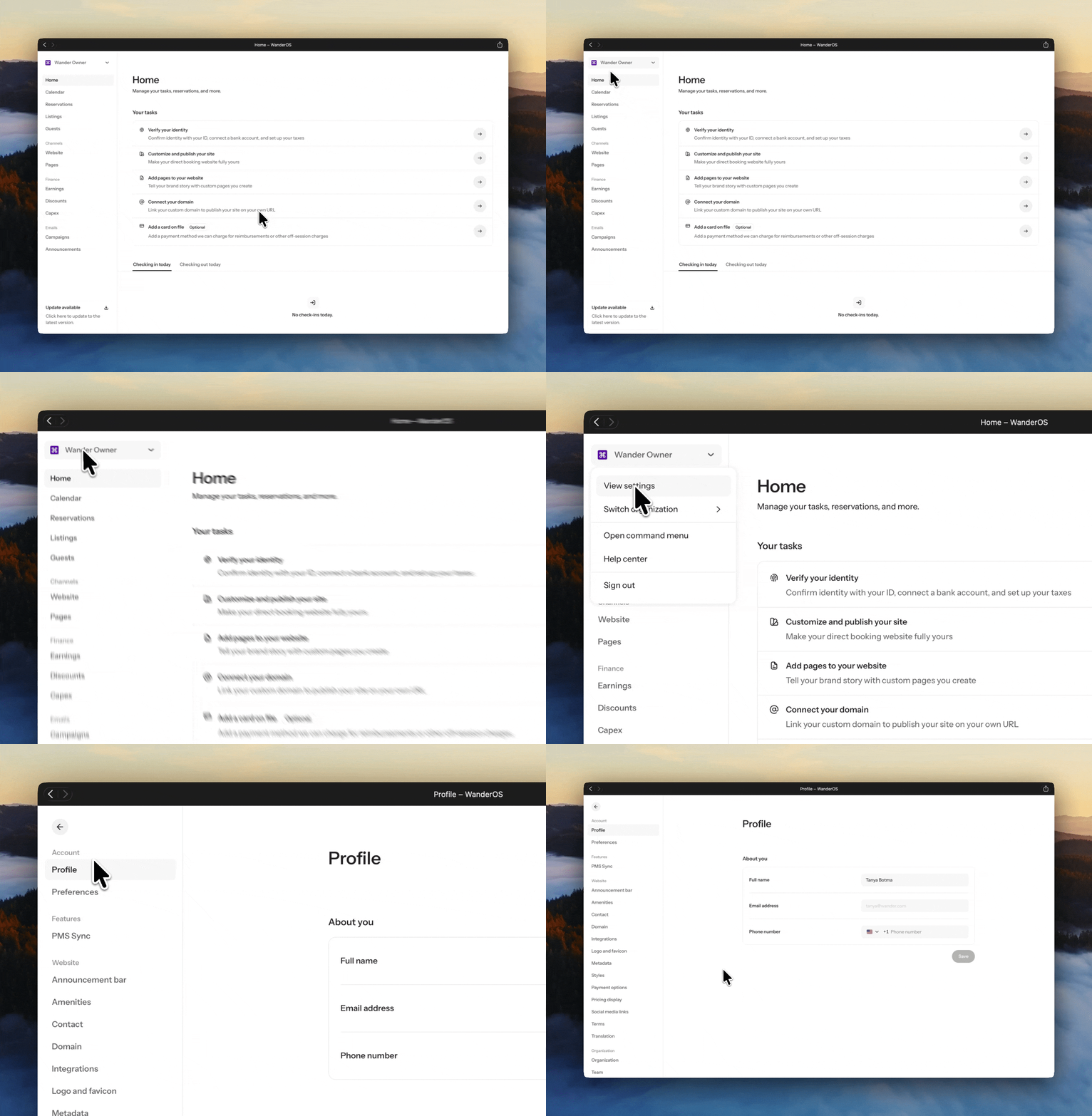
Step 1: Access organization settings
Navigate to app.wander.com via your web browser.
Sign in to your Wander Operator Dashboard.
Click on your Organization Name.
Select “View Settings.”
Step 2: Navigate to team management
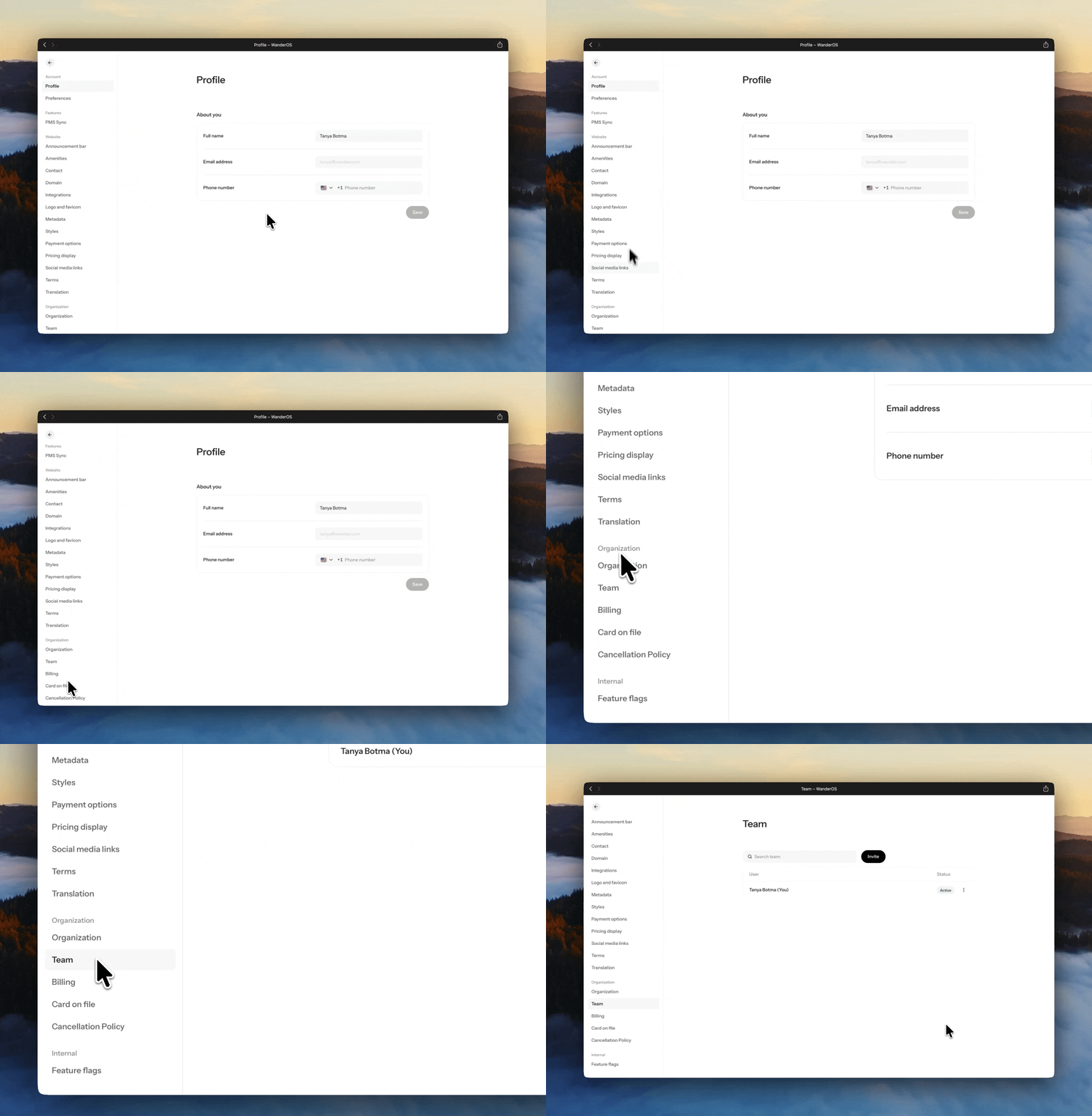
Access your team settings
Scroll to the “Organization” section within your settings.
Select “Team” to open your team management dashboard.
Step 3: Invite team members
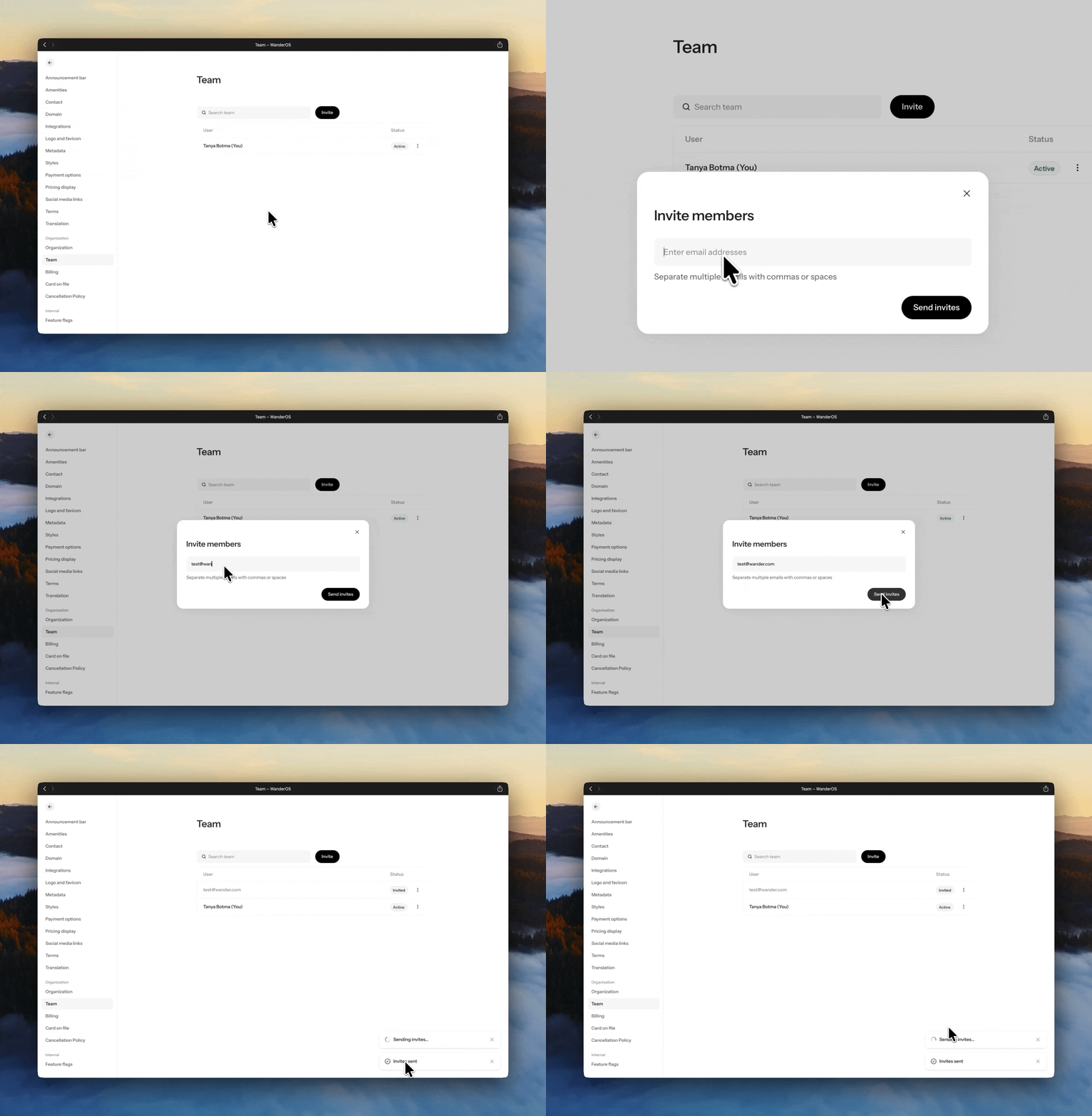
Add collaborators
Select “Invite.”
Enter the email address(es) of the team member(s) or administrator(s) you would like to add.
Click “Send Invite” to issue the invitation.
Your invited team members will receive a secure email prompting them to join your organization and access the Wander Operator Dashboard.
Need assistance?
If you need support managing your team or inviting administrators, our team is here to help.
Reach out to listed@wander.com
A member of our team will assist you with team setup, access, and permissions.
We'll ensure your organization is configured seamlessly for collaboration.
We're here to make managing your team as effortless as possible.
Share it with your friends: