Back to Blog
Setting up your Payment Information


To begin receiving payouts through Wander, please complete your payment setup via our secure Stripe integration.
Step 1: Getting started
Access your Wander Operator Dashboard at app.wander.com.
Navigate to the “Earnings” tab from the left-hand menu.
Select “Complete Onboarding” to initiate your payout setup.
From here, you'll be guided through a seamless process to securely configure your payment details.
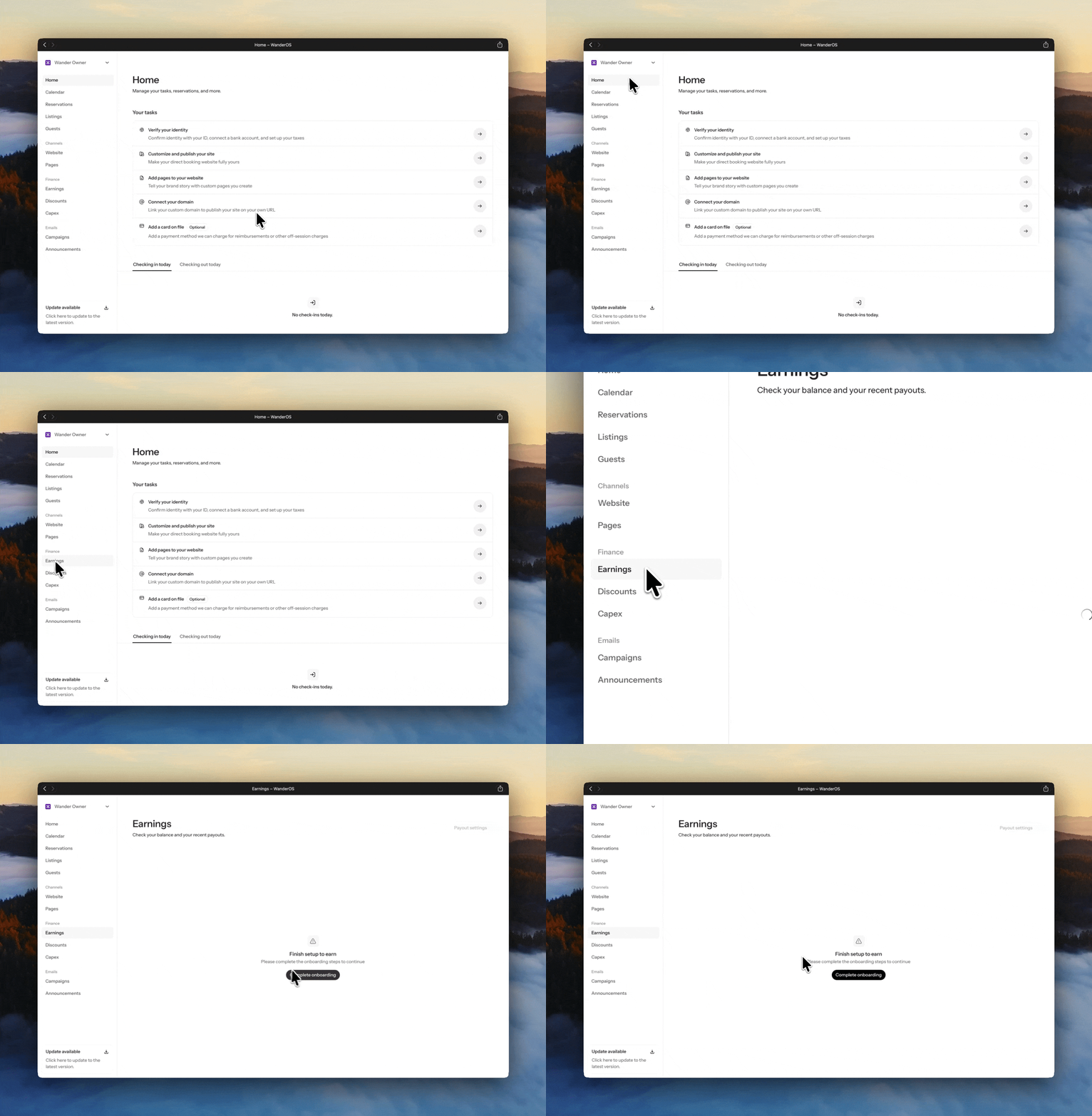
Complete Stripe onboarding
Wander partners with Stripe Connect to ensure a seamless and secure payout experience.
What you'll need to provide
Banking details for payout deposits.
Tax information to ensure regulatory compliance.
Important to note
A new Stripe connection must be created via Wander.
Existing Stripe accounts cannot be linked at this time.
Submit your tax documentation
To complete your setup, please provide the appropriate tax form:
W-9 (for U.S. persons), or
W-8 (for non-U.S. persons)
Send your completed form to listed@wander.com.
Looking ahead
We're actively working toward enabling direct document uploads within your Operator Dashboard.
This enhancement will further streamline your onboarding experience.
Updates will be shared as soon as this feature becomes available.
Need assistance?
Our team is here to support you every step of the way.
Reach out to listed@wander.com, and a member of our team will assist you promptly with any questions or guidance needed.
We're committed to ensuring your payout setup is smooth, secure, and effortless.
Share it with your friends: