Create Quote
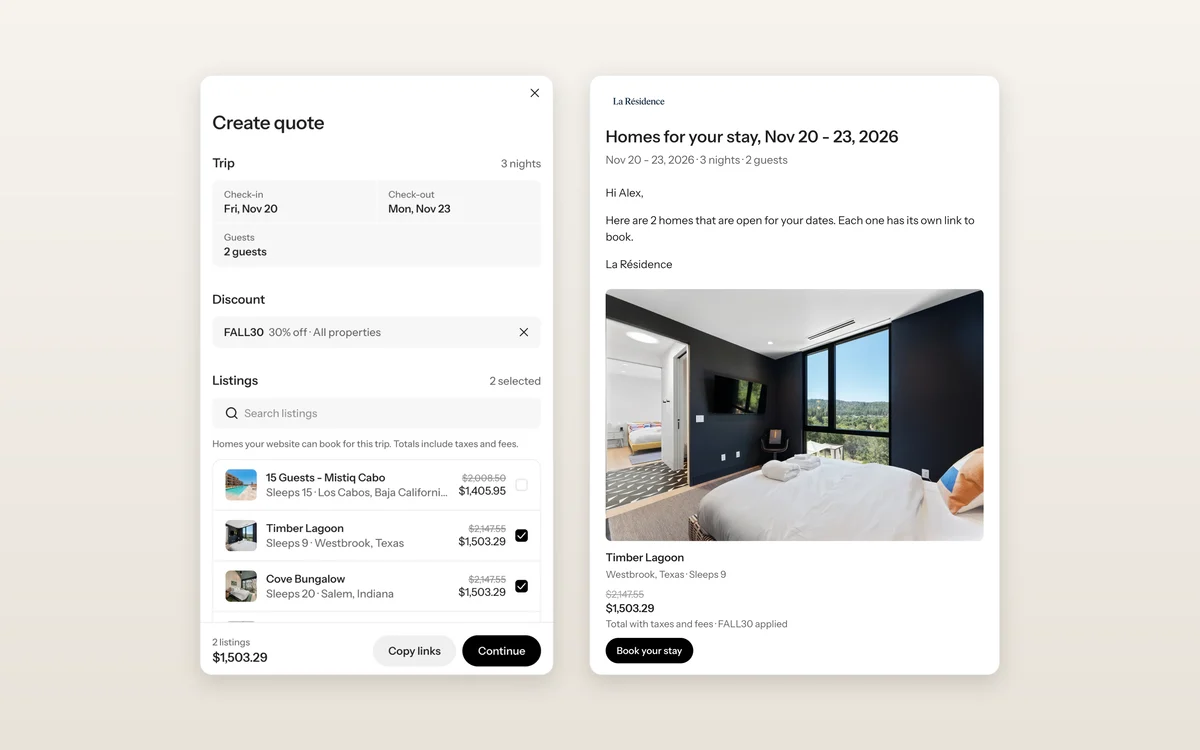
When a guest asks what's open for their dates, you can now answer in under a minute. Create Quote lets you pick dates, choose a few homes, add a discount and email the guest a quote, or copy the links to send anywhere.
Every total comes from your website's live checkout, taxes and fees included, and only homes that can take the trip show up. Your guest gets an email from your brand with a card for each home, and Book your stay opens checkout with everything filled in. No account needed.
Find it on Reservations, in any listing's menu, or as Send quote on a guest's page. Learn more
Fewer dead ends for guests
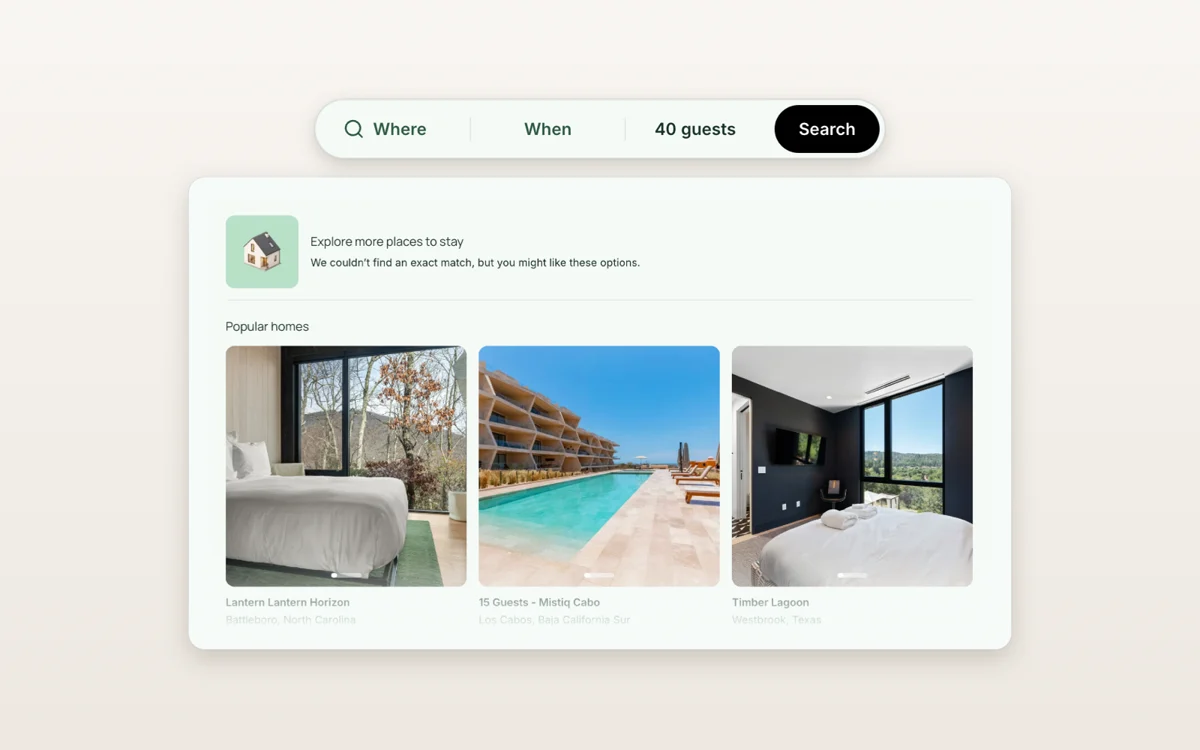
When a search on your site comes up empty, guests now see nearby homes, other dates and popular stays instead of a blank page. On phones, Add a discount code sits right below the checkout total, the same as on desktop.
Rotate the homes you feature
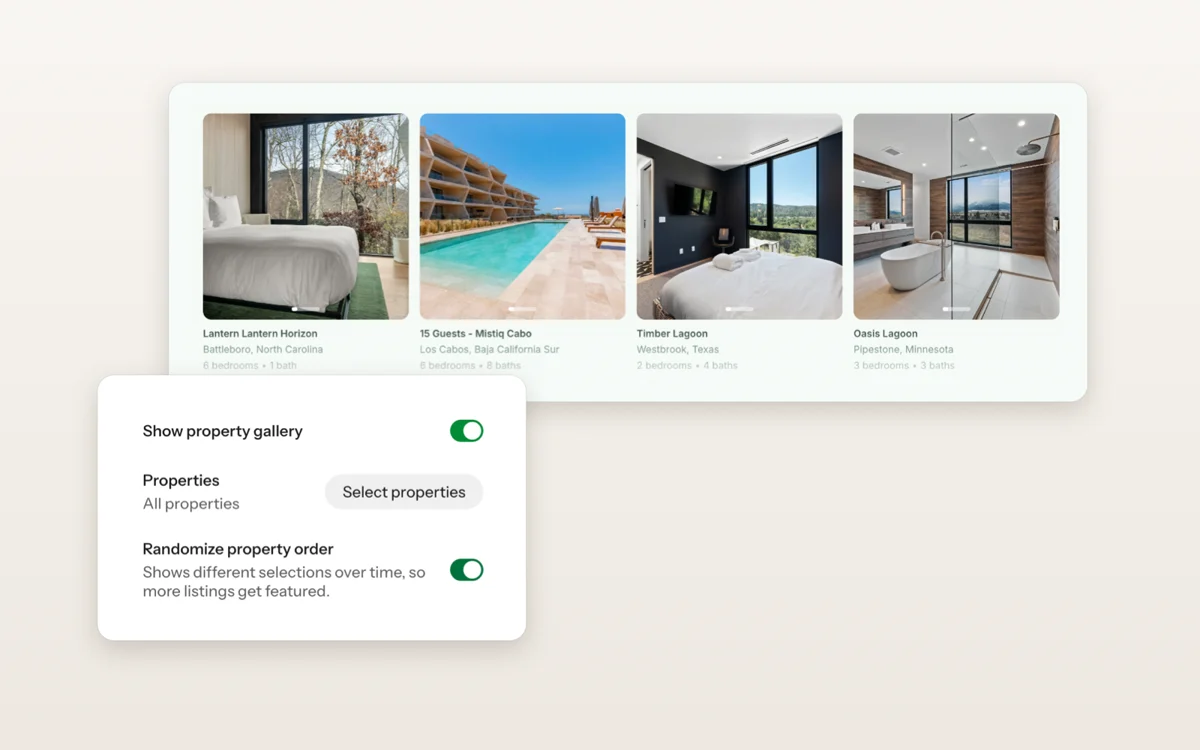
Property sections and the homepage hero can show your homes in a rotating order, so homes beyond your top few get time up front. Turn on Randomize property order in the section's settings.
Faster sites and checkout
Your direct booking site and checkout load faster. Checkout starts fetching your guest's price as soon as the page opens, about 0.6 seconds sooner, and the price summary no longer jumps as it fills in. Property pages without dates now open straight on the best stay instead of redirecting, and phones only download the hero image they need.
Your brand name, everywhere
Organization settings now have a brand name, separate from your legal business name. Your direct booking site uses it in the header, footer, page titles and checkout, and your SEO title starts from it too.
Preview before you resend
Resending a booking confirmation now shows you the exact email and who it's going to. Nothing sends until you confirm.
Fixes and improvements
Create charge shows the processing fee and your guest's total before you send it.
Charges and stay amounts show the reservation's currency instead of always USD.
Invoice breakdowns in the reservation drawer show the right number of nights.
If you use Track, you can cancel a booking right from its reservation in WanderOS.
Guest contact details reach your PMS for bookings from every channel.
Booking confirmation emails show your home's cover photo, the same one on its property page.
Booking confirmation emails include your support email and phone number.
You no longer get a second "just booked" email when a guest pays a later invoice.
Payout and stay dates in Earnings match your reservations, wherever you are.
Cross-currency payouts in Earnings show the exchange rate.
Earnings exports are organized by calendar month.
Listings show No website when you don't have a direct booking site yet, instead of Listed.
Listings that are still syncing say so instead of showing a spinner.
A guest's page labels bookings that were abandoned or cancelled.
You can remove beds from rooms that aren't bedrooms, like a living room.
Payment options note that half now, half later isn't available for Request to Book homes.
Connected domains show email setup status on its own line.
Set a publish date on blog posts. Blog cards, ordering and search results follow it.
Video sections play on published sites in every template layout.
Stronger hero overlays make text over photos easier to read.
Links with different capitalization, like /GetStarted, now reach the right page instead of a 404.
Review averages show two decimals, like 4.95.
Pet filters stay hidden when none of your homes allow pets.
Property pages no longer carry over dates a guest picked on another home.
Guests a day ahead of your home's time zone can still book a same-day arrival.