Back to Blog
Hospitable x Wander: How to Set Up the Integration


Wander, the leading travel marketplace for exceptional vacation homes, now integrates seamlessly with Hospitable.
Connect your account once and unlock premium distribution alongside a best-in-class direct booking platform, built to outperform OTAs.
By connecting Hospitable to Wander, your listings, pricing, availability, photos, and reviews sync directly into the Wander platform, while reservations continue to flow back to Hospitable in real time.
Why Wander
Wander is built around a simple idea: vacation rentals should feel as reliable and well-designed as a luxury hotel. Every home on the platform is held to a high bar across design, technology, and guest experience.
This focus creates a marketplace where quality is curated, not crowded—giving owners the opportunity to position their homes in a more premium environment and attract guests who value that difference.
Getting started
Create your Wander organization
Go to Wander and click “Continue with One platform to grow your business.”
Enter your Organization Name.
Add your Phone Number.
Select your Number of Properties and click Continue.
Step 1: Select your PMS
Choose Hospitable from the list of integrations and click Connect.
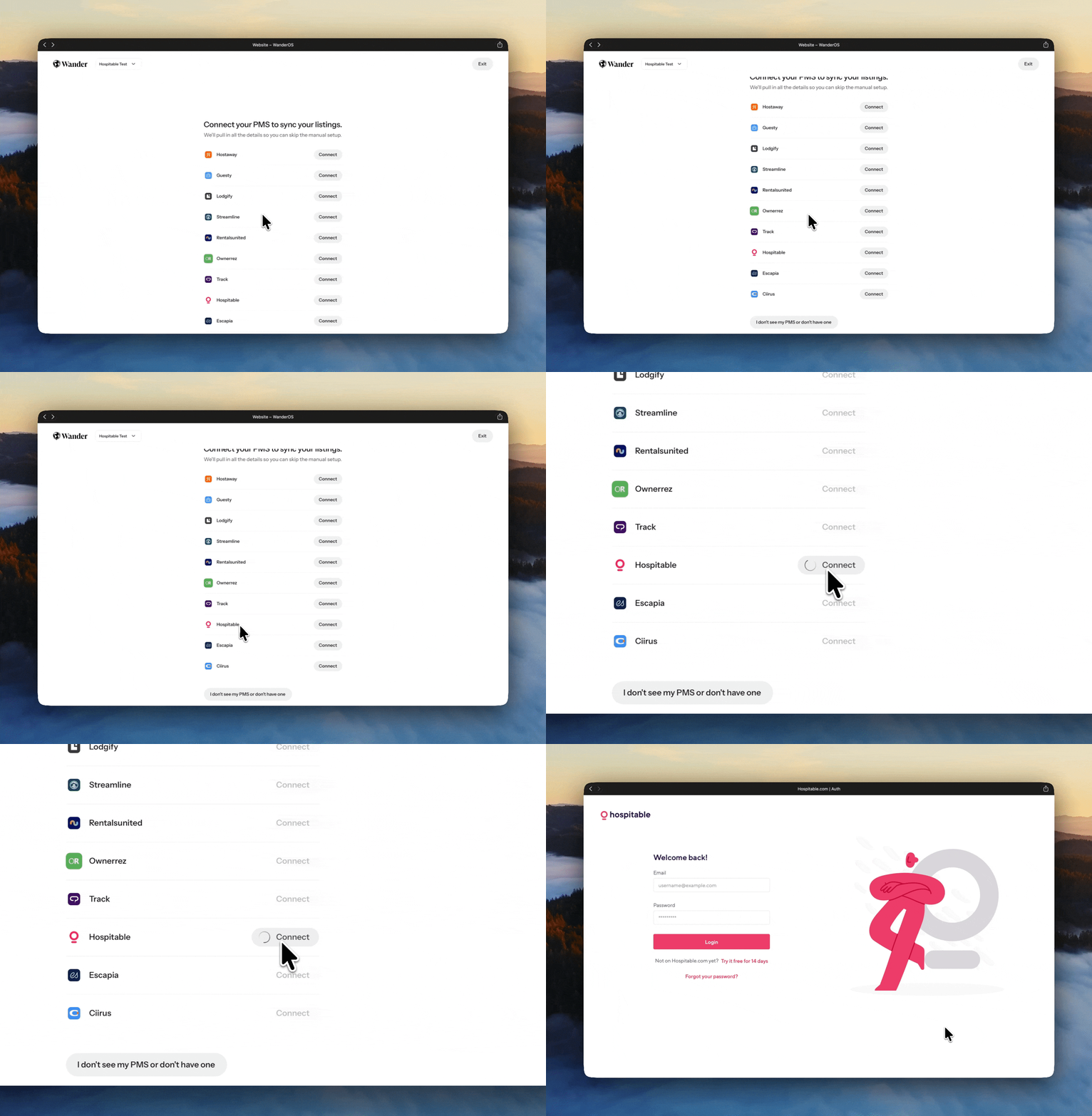
Step 2: Log into Hospitable
You'll be redirected to the Hospitable login page.
Enter your account email and password.
Click Login.
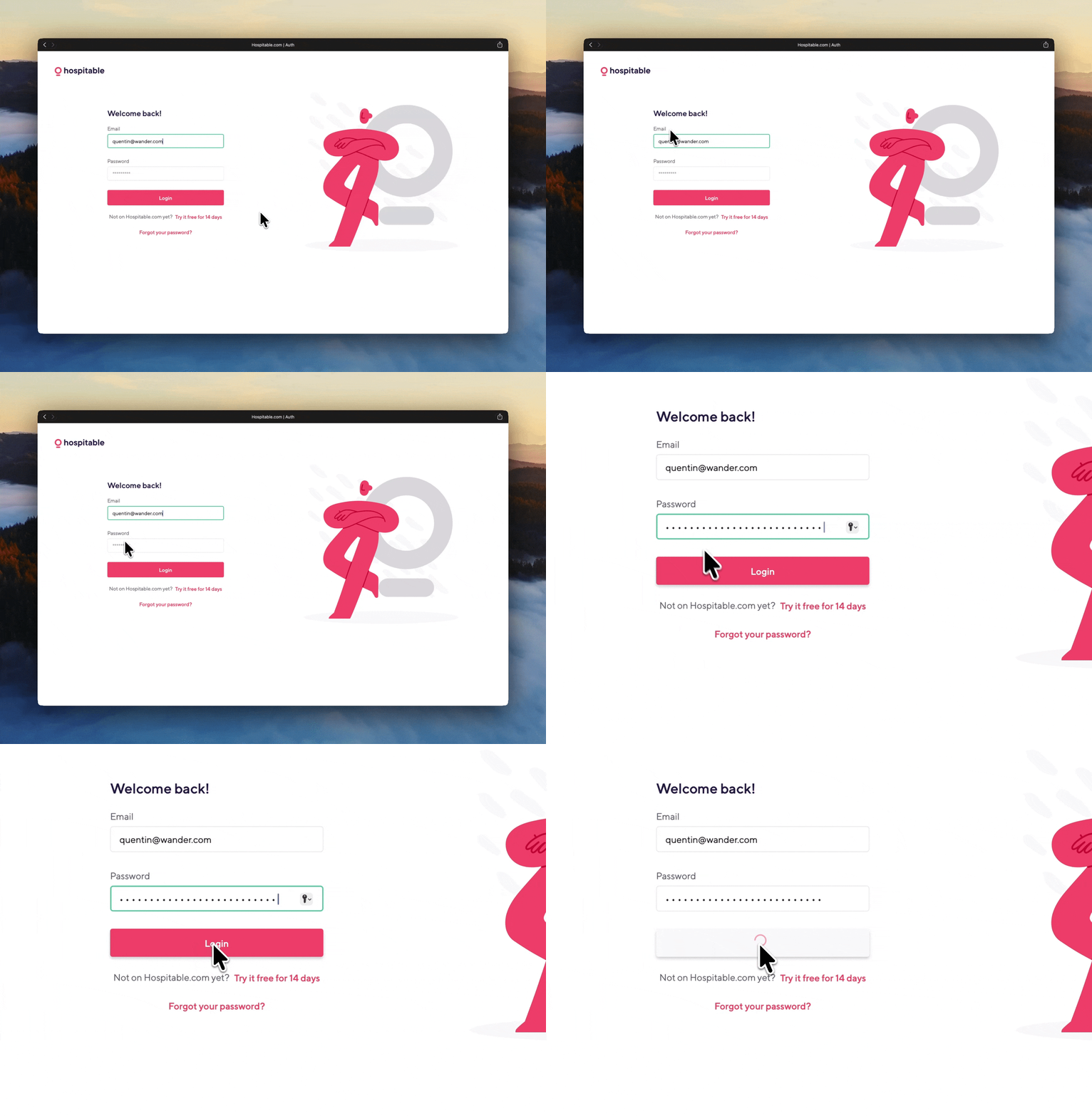
Step 3: Authorize the connection
You'll see the message: “Wander is requesting access to Hospitable.”
Click Authorize Wander.
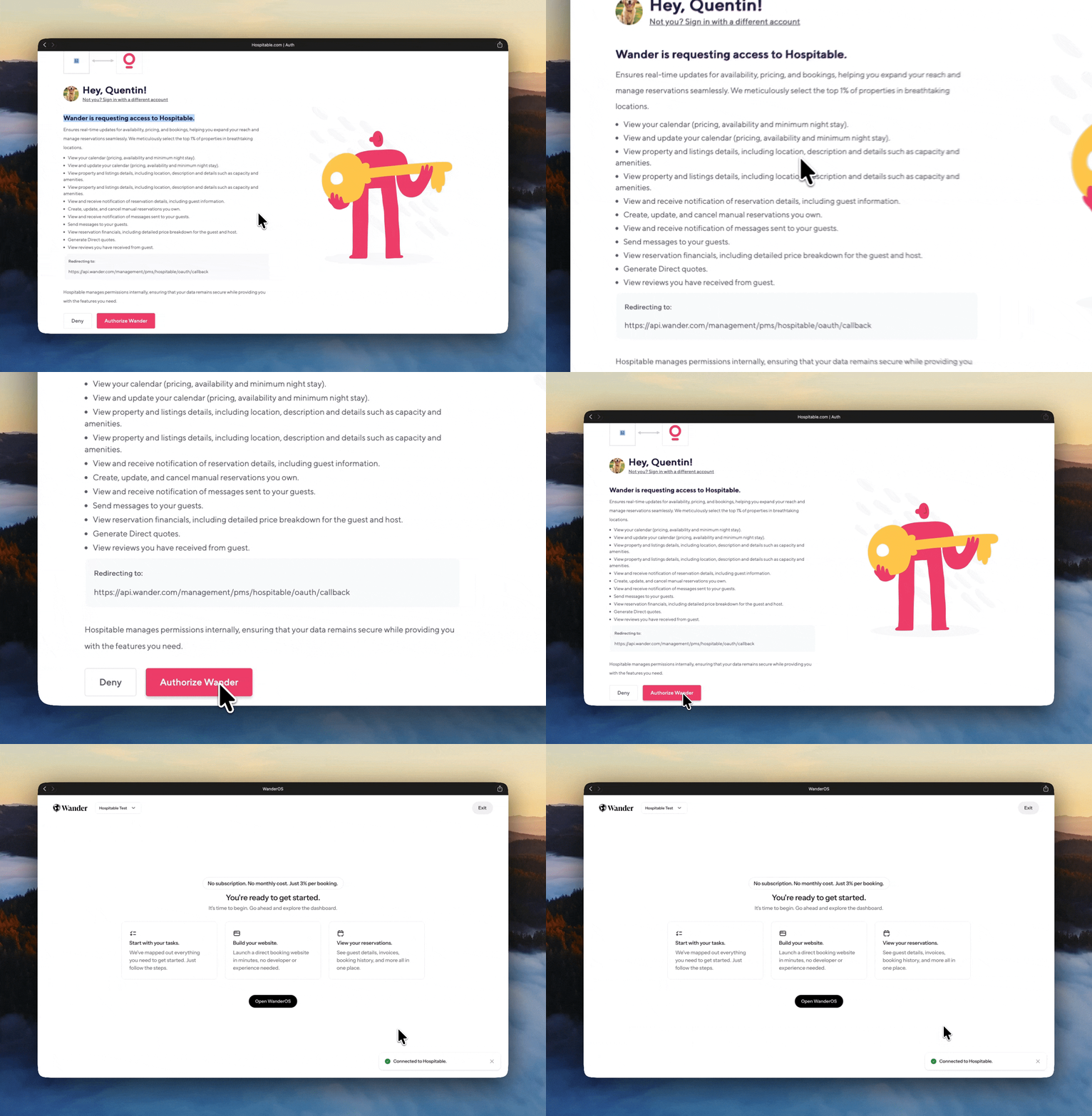
You'll be redirected back to Wander, where a confirmation will appear at the bottom of the page letting you know you're now connected to Hospitable.
Step 4: Import your listings
Once the connection is authorized, Wander automatically begins importing your:
Listings
Photos
Pricing
Availability
Property details
Reviews
Reservations will continue syncing with Hospitable in real time, ensuring your PMS remains the operational source of truth.
Need help? We're here to assist
Simply click the “I need help” toggle within the onboarding flow. Let us know where you need assistance and select Submit, our team will be in touch to walk you through the process.
Share it with your friends: